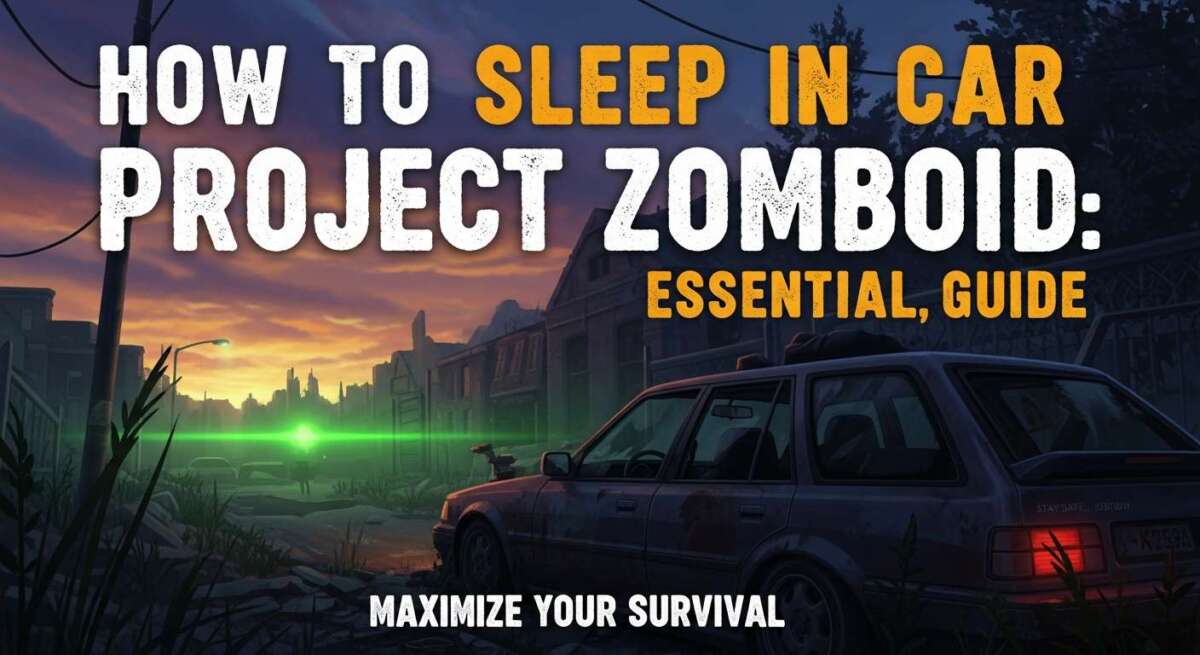
How to Sleep in Car Project Zomboid: Essential Guide
The sun is going down. The sky turns purple, then black. You hear them. The groans in the distance. You are tired. Your character has that red “Drowsy” icon shaking in the corner. You are far from your base. You are far from a bed. All you have is your trusty Chevalier Nyala. You need to rest. If you don’t, you will get slow. Being slow means death.
Many new players panic here. They think they need a house. They think they need a fancy bed. They are wrong. You can make it through the night right in your seat.
This guide is for you. I have survived thousands of hours in Knox County. I have slept in sports cars, vans, and police cruisers. I will show you exactly how to sleep in car Project Zomboid. I will keep it simple. We will talk about safety. We will talk about staying warm. We will make sure you wake up alive.
Can You Actually Sleep in a Car?
Yes, you can.
If you played this game years ago, you might remember differently. In the old versions, cars were just for driving. You could not sleep in them. You had to carry a tent or find a chair.
That has changed.
In Build 41 and later, the game got better. The developers added the option to sleep in vehicles. This was a huge update. It changed how we play. Now, you can be a nomad. You can live on the road. You do not need a fixed base if you don’t want one.
But it is not as simple as closing your eyes. The game is deep. It is realistic. Sleeping in a car is not as good as a real bed. You might wake up with a sore neck. You might get cold. But it beats being eaten by a zombie.
Why You Need to Know This
Knowing how to sleep in car Project Zomboid is a key skill. It saves your life when things go wrong.
Maybe your car runs out of gas in the middle of nowhere. Maybe a horde surrounds your safe house. Maybe you just want to explore the map. The map is huge. Driving from Riverside to West Point takes a long time. You will get tired.
If you drive while tired, you crash. The game blurs your vision. Your reaction time drops. You need to pull over. You need to sleep. This guide tells you how.
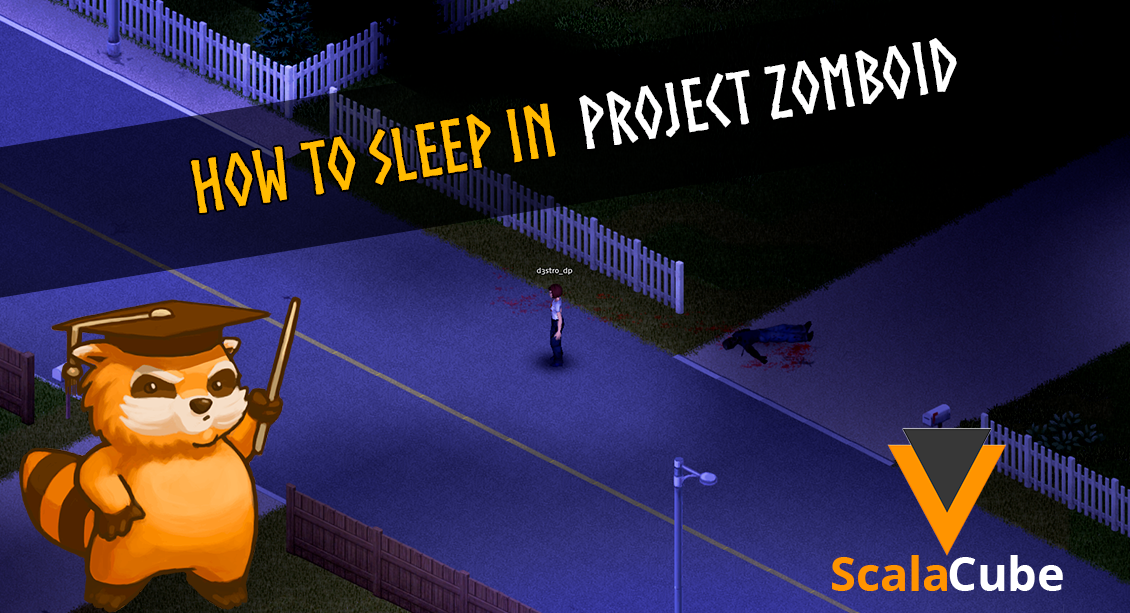
Credit: scalacube.com
Step-by-Step: How to Sleep in Car Project Zomboid
Let’s get to the point. You are in the game right now. You need to sleep. Here is exactly what you do. Follow these steps.
Step 1: Stop the Car
You cannot sleep while moving. That would be dangerous. Find a spot to park. We will talk about safe spots later. For now, just stop the car.
Take your foot off the gas. Press the spacebar to brake. Make sure the car is still.
Step 2: Open the Radial Menu
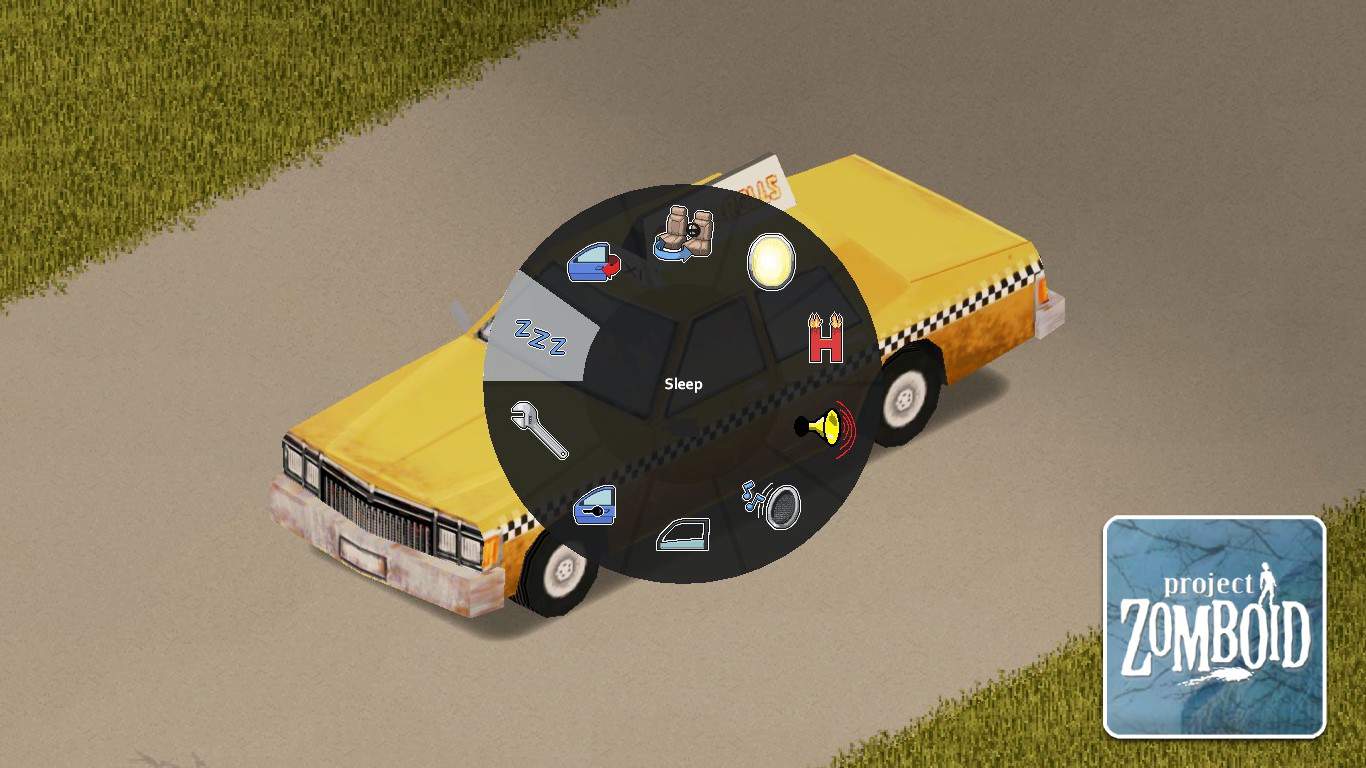
This is the most important part. Project Zomboid uses a “Radial Menu” for cars. It is a circle of options.
To see it, press the ‘V’ key on your keyboard.
Do this while you are sitting in the car. A green ring will pop up on your screen. This ring has many icons. You will see icons for the door, the window, and the engine.
Step 3: Click the Sleep Icon
Look at the Radial Menu. Look for an icon that looks like a person sleeping. It might look like a stick figure lying down. It might look like “Zzz.”
Move your mouse to that icon. Click it.
If your character is tired enough, the screen will go black. The time will speed up. You are now sleeping.
Step 4: Waking Up
You will wake up when you are fully rested. Or, you will wake up if something loud happens. You can also click the mouse to wake up early.
That is the basic way to do it. But, there is a catch. Sometimes the option is not there. Sometimes it is greyed out. Let’s look at why.
My Personal Story: The Highway Nightmare
I want to share a story with you. It happened to me last year. I was playing a character named Jack. Jack was a carpenter. He was strong, but he was not a good driver.
I was driving a beat-up van. I was leaving the town of Muldraugh. I had a trunk full of canned food. I was happy. I felt safe.
Then, I made a mistake. I did not check the gas tank.
I was on the main highway. The woods were on both sides. Suddenly, the engine sputtered. It coughed. Then, silence. The van rolled to a stop.
It was 10:00 PM. It was pitch black.
I saw the “Ridiculously Tired” moodle appear. My vision was throbbing. I could barely see two feet in front of me. I knew I could not walk back to town. It was too far. There were too many zombies in the woods.
I had no tent. I had no chair. I only had the van.
I remembered I could sleep in the seat. I pressed ‘V’. I clicked sleep.
But I was scared. The window was broken on my side. If a zombie walked by, they could bite me in my sleep.
I had to think fast. I switched seats. I moved to the passenger seat. The window there was safe. It was intact. I locked the doors. I went to sleep.
I woke up at 6:00 AM. The sun was up. I was alive. My neck hurt, but I was alive. I walked to a nearby gas station, found a gas can, and saved the van.
If I did not know how to sleep in car Project Zomboid, Jack would have died that night. He would have been zombie food on the highway.
This experience taught me a lot. It taught me to always check gas. It taught me that a car is a mobile base. It is a metal shell that protects you.
The Requirements for Sleep
The game has rules. You cannot just nap whenever you want. Certain things must be true before the sleep option works.
You Must Be Tired
This sounds obvious, but it is true. Your character must have the “Drowsy” or “Tired” moodle.
Look at the top right of your screen. Do you see a face looking sad or tired? That is a moodle. If you are wide awake, the game will not let you sleep. The sleep icon might not show up.
If you are not tired, you can take Sleeping Tablets. These are pills you find in bathrooms. They make you tired fast. But be careful. Do not mix them with alcohol. That is a deadly mix.
The Car Must Be Stopped
We mentioned this, but it is vital. The engine does not have to be off, but the car must not be moving.
Expert Tip: Turn the engine off anyway. If you leave the engine on, it burns gas. It also makes noise. Noise attracts zombies. You want to be silent. Turn the key off before you sleep.
No Zombies Nearby
This is the scary part. If a zombie is banging on your window, you cannot sleep. Your character will be in “Panic.”
If you are in extreme panic, you cannot sleep. You need to clear the area first. Get out and kill them. Or, drive away to a quiet spot.
If you have the “Beta Blockers” item, take them. They reduce panic. This might help you calm down enough to rest.
Troubleshooting: Why Can’t I Sleep?
Sometimes, you do everything right. You stop. You press ‘V’. But you still can’t sleep. It is frustrating. Here are the common reasons.
The Pain Problem
Is your character hurt? Do you have a scratch or a bite?
Pain keeps you awake. Just like in real life. If you are in severe pain, you cannot fall asleep.
Check your health panel. Click the heart icon on the left. If you see “Pain” in red, that is the problem.
The Fix: You need Painkillers. Take one or two pills. Wait for the pain to go down. Once the pain moodle is gone, try to sleep again. If you have no pills, try to bandage the wound. A clean bandage helps.
The Panic Factor
We talked about this, but it is a big one. Panic comes from seeing zombies. It also comes from “Nightmares” if you have that trait.
If the panic moodle is shaking, no sleep for you.
The Fix: Drive further away. Get away from the horde. Read a book or a comic book in the car. Reading lowers stress and boredom. It helps you relax.
Temperature Issues
Is it winter? Is it freezing outside?
If your character is extremely cold, they struggle to sleep. Cars provide some shelter, but they get cold too.
The Fix: Turn on the heater for a minute. Warm up the cabin. Wear a jacket. Do not sleep naked (unless you have a weird reason to).
Picking the Right Car for Bed
Not all cars are the same. In Project Zomboid, vehicles have stats. Some are fast. Some are strong. Some are comfortable.
When you want to know how to sleep in car Project Zomboid effectively, you must look at the car type.
Seat Quality is Key
This is a hidden stat. You might not see a number, but the game knows.
A “Standard” seat is okay. A “Sport” seat is okay. But a “Heavy-Duty” seat is often better.
If you sleep in a bad seat, you get a “Neck Pain” moodle in the morning. This pain is annoying. It limits how much you can look around. You cannot turn your head fast. This makes you vulnerable.
Space and Storage
You want a car with room. Sleeping in a tiny two-door car is tight. A van or an SUV is better.
Why? Because of loot.
If you are sleeping in your car, you are likely traveling. You have gear. You have food. You need trunk space. A “Franklin Valoline” (the van) is great. It has a huge trunk. You can store extra water, gas, and blankets.
Best Models to Look For
Here are my top picks for sleeping:
- Chevalier Step Van: It is a fortress. It has huge storage. It feels safe.
- Dash Bulldriver: A solid pickup truck. Good for off-road. Good for sleeping.
- Chevalier Nyala: The police car version is great. It is fast and has decent seats.
Avoid the small hatchbacks if you can. They are better than walking, but not great for a good night’s rest.
Location, Location, Location
You have the car. You know the buttons. Now, where do you park?
This is where you survive or die. A parked car is a metal coffin if you are not careful.
The “Wall Hug” Strategy
This is the best trick in the book. I use this every time.
When you park, find a high wall. Or a building. Park your car so the driver’s side door is touching the wall. Get as close as possible.
Why do this?
If the door is against the wall, zombies cannot get to it. They cannot bite you through the wall.
If you sleep in the driver’s seat, you are safe on that side. You only need to worry about the windshield. But the side is the most vulnerable spot.
If you wake up and zombies are on the other side, you can start the car. You are in the driver’s seat already. You can drive away instantly.
Rural vs. Urban Parking
Cities are dangerous. West Point and downtown Muldraugh are full of zombies. Do not park on the main street. That is suicide.
Go to the outskirts. Find a farm road. Find a clearing in the woods.
Expert Tip: Do not park deep in the forest. Trees can block your car. You might get stuck. Also, it is hard to see zombies coming out of the trees. Park on a road or a driveway.
Avoiding the Horde Migration
Zombies in this game move. They migrate. They follow sounds. They follow “meta-events” like gunshots or helicopters.
Do not park near a place where you just fired a shotgun. The noise draws them in. Drive at least a few screens away.
Find a quiet corner. Turn off your headlights. Turn off the engine. Be a ghost.
Credit: gamerempire.net
Managing Temperature and Health
You have found your spot. You are parked against a wall. The zombies are far away. But there is another enemy waiting for you.
The weather.
In Project Zomboid, the environment can kill you just as fast as the undead. If it is July, you might overheat. If it is January, you might freeze to death. Your car is a shelter, but it is not magic. It gets cold inside.
Here is a vehicle heater guide Project Zomboid players need to master.
Using the Heater Correctly
Every functional car in the game has a heater and an AC unit. You need to know how to use them.
- Check the Dashboard: Look at the bottom of your screen. When you are in a car, you see a dashboard.
- Locate the AC Icon: On the right side of the dashboard, there is a small icon. It usually looks like a fan or a thermometer.
- Turn It On: Click the icon. It will light up.
- Adjust the Temperature: You can slide the bar to red (hot) or blue (cold).
Pro Tip: You do not need the engine running to turn on the AC/Heater, but you should have the engine on. Why? Because of the battery.
The Battery Drain Risk
This is a mistake I see new players make all the time. They park the car. They turn off the engine to be quiet. Then, they turn on the heater because they are cold.
They go to sleep.
When they wake up, they are warm. But when they try to start the car… click, click, click.
The battery is dead.
The heater drains the battery very fast if the engine is off. If your battery dies, you are stranded. You cannot start the car. You cannot drive away. You are a sitting duck.
The Golden Rule: Only use the heater for a few minutes before you sleep to warm up. Then turn it off. Wear a sweater or a jacket instead. Or, if you have plenty of gas, leave the engine idling. But remember, idling engines make noise. Noise attracts guests you do not want.
Comparing Sleep Options
Is sleeping in a car really the best choice? Sometimes yes. Sometimes no. Let’s look at the options. This will help you decide when to use the car and when to look for a bed.
Car vs. Tent
I love camping in real life. In Project Zomboid? Not so much.
The Tent:
- Pros: You can place it anywhere. It is light.
- Cons: Zero protection. If a zombie walks by, they can bite you through the tent. You have no warning. You are basically a burrito for zombies.
The Car:
- Pros: Metal protection. Windows give you time to react. You can drive away instantly.
- Cons: Needs gas. Can be loud. Seats can cause neck pain.
My Verdict: Always choose the car. I only use a tent if my car is totally broken or if I am deep in the woods where a car cannot go. Surviving the night Project Zomboid style requires layers of defense. A car door is a good layer. A piece of fabric is not.
Car vs. House
This is the real debate. Should you break into a house or stay in the driveway?
The House:
- Pros: Real beds reduce fatigue faster. No neck pain. You can cook food.
- Cons: You might trigger a house alarm. This is the loudest sound in the game. It calls every zombie in the town. Also, zombies might be inside waiting for you.
The Car:
- Pros: No alarms. You know it is empty. Quick escape.
- Cons: Slower fatigue recovery.
My Advice: If you are in a new town and you have not cleared the area, sleep in the car. It is safer. Breaking a window to get into a house is risky. It makes noise. It might cut your hand. Sleep in the car until you secure a safe house.
Essential Mods for Vehicle Life
The base game (Vanilla) is amazing. But the community has made it even better. If you want to live the true nomad life, you need mods.
I have tested dozens of mods. These are the ones that make sleeping in cars a viable long-term strategy.
1. RV Interiors
This is the king of vehicle mods.
In the base game, sleeping in a car just fades the screen to black. With the RV Interiors mod, you can actually go inside the back of vans, buses, and RVs.
It loads a new map area that looks like the inside of the vehicle. You can walk around. You can build storage crates. You can place a real bed!
If you have this mod, you don’t need to worry about Project Zomboid seat quality. You can put a high-quality bed in the back of your van. You can cook on a stove. It turns the game into a true road trip simulator.
2. Tsar’s Common Library & Vehicles
This adds amazing vehicles to the game. It adds school buses, jeeps, and trailers.
Trailers are great. You can tow a generator. You can tow a huge gas tank. This lets you stay on the road for weeks without stopping.
3. Vehicle Heater/AC Fixes
There are smaller mods that fix bugs with the heaters. They make the temperature simulation more realistic. If you are a hardcore survivalist, look for these on the Steam Workshop.
Advanced Survival Tips for Car Sleepers
Okay, we covered the basics. Now let’s talk about the pro strategies. These are the little tricks that keep you alive when the odds are bad.
The “Shotgun” Seat Strategy
In real life, “riding shotgun” means sitting in the passenger seat. In Project Zomboid, I mean this literally.
Keep a loaded weapon on your passenger seat.
The game lets you put items on seats. Use the ‘V’ menu or the loot window. Put your best weapon there. Or a bag of food.
If you wake up and there is trouble, you don’t want to dig through your backpack. You want your axe or your pistol right there. Drag it from the seat to your hand. Ready to fight.
Managing Hunger and Thirst
You wake up. The sun is rising. Your character is no longer tired. But now, the “Hungry” and “Thirsty” moodles are red.
Do not get out of the car yet.
Look around. Use the mouse to pan the camera. Check every angle. Zombies love to stand silently next to cars.
Eat your breakfast inside the car. Drink your water inside the car. Only open the door when you are 100% sure the coast is clear.
Personal Experience: I once woke up, stepped out immediately to smoke a cigarette (in-game), and was bitten instantly. A crawler zombie was under the car. I couldn’t see him. If I had stayed inside, I would have heard him scratching. Don’t make my mistake.
The Alarm Clock Trick
Did you know you can set an alarm on your digital watch?
This is useful for sleeping in cars. Maybe you only want to sleep for 4 hours. Maybe you want to wake up before it gets dark.
- Right-click your digital watch in your inventory.
- Select “Set Alarm.”
- Choose the time.
The alarm will wake you up. But be careful! The beeping makes noise. It is quiet, but a zombie right next to the car might hear it. Turn it off fast.
Handling Night Events
Project Zomboid has “Meta Events.” These are random sounds. A scream. A gunshot. A dog barking. A helicopter.
These sounds move zombies.
If you are sleeping and you hear a gunshot nearby, stay in the car. Wait. Watch the zombies. Are they moving towards the sound? Are they moving towards you?
Your car is your stealth blind. If you don’t move and the engine is off, zombies have a hard time seeing you inside. Let them pass.
If a helicopter comes (the dreaded Helicopter Event), do not sleep. The helicopter follows you. If you sleep, it will hover over you for hours. It will bring every zombie in the map to your car.
If you hear the chopper, start the engine. Drive. Keep driving until it leaves.
Routine for the Perfect Night
To wrap up the “How-To,” let’s build a routine. Follow this checklist every night.
- Find a Spot: Low zombie population. Flat ground.
- Park Safely: Driver door against a wall or another car.
- Engine Off: Save gas. Be quiet.
- Check Needs: Eat food. Drink water. Smoke if needed.
- Heater Check: Warm up the cabin if it is winter. Turn off before sleep.
- Switch Seats: Move to a safe seat (passenger or back) if the driver window is exposed.
- Sleep: Press ‘V’, click Sleep.
- Wake Up: Check surroundings before exiting.
It becomes muscle memory. After a few nights, you won’t even think about it. You will just do it.
The Mental Game: Boredom and Sadness
Living in a car is tough on your character’s mind. You will get the “Bored” and “Unhappy” moodles quickly.
Being inside a vehicle increases boredom gain. If you just sit there, your character gets depressed. Depression slows down your actions (transferring items takes longer).
How to fight it:
- Bring Books: Keep a stash of books or comic books in the glove box. Read one before bed.
- Radio: Turn on the car radio. Listen to music or the news. It reduces boredom. Just keep the volume low!
- Antidepressants: If it gets really bad, use the pills.
Do not ignore your mental health. A sad survivor is a slow survivor.
Credit: scalacube.com
Conclusion: Rest to Survive
We have covered a lot of ground. From the basics of the Radial Menu to the advanced tactics of “Wall Hugging” and managing your vehicle’s heater. You now know that how to sleep in car Project Zomboid is not just a button click—it is a survival strategy.
The world of Knox County is unforgiving. It wants you dead. The zombies are relentless, the weather is cruel, and your own body’s needs are a constant ticking clock. But with a well-maintained vehicle and the knowledge you have gained here, you have a fighting chance.
Your car is more than just transportation. It is your mobile fortress. It is your shield against the biting cold and the biting dead. Whether you are driving a pristine police cruiser or a beat-up station wagon, that metal shell is the only thing separating you from the horde while you recharge your stamina.
Remember the key takeaways:
- Preparation is everything. Don’t wait until you are passing out to find a spot.
- Safety first. Park smart, check your doors, and never sleep with the engine running.
- Know your limits. If you are in pain or panic, address those first.
Survival in Project Zomboid is about making smart decisions. Choosing to sleep in your car instead of risking a house alarm could be the decision that lets you see another sunrise. So, gas up, lock the doors, and get some rest. The apocalypse isn’t going anywhere, but you need to be ready to face it.
Good luck, survivor. I’ll see you on the road.
Frequently Asked Questions (FAQ)
Here are the most common questions I get from new players about vehicle mechanics and sleeping. I have kept the answers detailed to make sure you have all the info you need.
Can You Sleep In The Car In Project Zomboid?
Yes, absolutely. Since the release of Build 41, sleeping in cars is a core feature of the game. It is a vital mechanic for nomadic playstyles or emergency situations. However, you must meet specific conditions: your character must be tired, the car must be stopped, and you must be safe from immediate danger (no zombies banging on the glass). It is not as restful as a high-quality bed, but it is much safer than sleeping on the ground in a tent.
How Do You Sleep In A Car?
The process is done through the vehicle’s Radial Menu. First, park your vehicle in a safe location and ensure it is not moving. Press the ‘V’ key (default) to bring up the vehicle menu. Look for the “Sleep” icon, which usually depicts a sleeping person or “Zzz.” Click it. If the option is greyed out, check your moodles—you might not be tired enough, or you might be in too much pain or panic. Remember to turn off your engine to save gas and battery!
Is There A Way To Sleep In Project Zomboid Multiplayer?
Yes, but it works differently than single-player. In multiplayer servers, time does not speed up when one person sleeps because other players are still awake and moving. Usually, servers have a setting where sleep is disabled, or it requires all players to sleep at the same time for the clock to advance. If sleep is enabled on your server, you can sleep in a car just like in single-player to remove the fatigue moodle, but you might have to stare at a black screen in real-time while your character rests. Always check your server’s specific rules.
Does Sleeping in a Car Cause Neck Pain?
Yes, it often does. Sleeping in a car seat is not ergonomic. You have a high chance of waking up with the “Neck Pain” moodle. This is not life-threatening, but it is annoying. It slightly reduces your vision cone and makes looking around slower. To minimize this, try to find vehicles with “Heavy-Duty” or “Sport” seats, which have better comfort ratings than “Standard” seats. However, even in the best car, a stiff neck is a common price to pay for safety.
Can Zombies Break In While I Am Sleeping?
Technically, yes, but the game has a safeguard. If a zombie approaches your car and starts banging on the window while you are asleep, your character will usually wake up immediately. You will wake up in a panic. This gives you a split second to react—either start the engine and drive away or switch seats to the other side. This is why parking against a wall is so important; it limits the directions zombies can attack from.
Can I Freeze to Death While Sleeping in a Car?
Yes, you can. Cars provide some insulation, but they are not immune to the cold. If it is winter and the temperature is well below freezing, sleeping in a car without the heater on can lead to hypothermia. Your health will slowly drop while you sleep. To prevent this, wear high-insulation clothing (padded jackets, long johns) or run the car’s heater for a while before you go to sleep to get the cabin temperature up. Just remember to turn the heater off so you don’t kill the battery!
Why Is the Sleep Option Greyed Out?
If you see the sleep icon but cannot click it, it is usually due to one of three things. First, you might not be tired enough (you need the Drowsy moodle). Second, you might be in pain (check your health tab). Third, you might be in panic (zombies are too close). Also, double-check that the car is fully stopped. If you are rolling even slightly, the game won’t let you sleep.
Can I Sleep in a Wrecked Car?
Yes, as long as the seat you are sitting in is functional. The engine doesn’t need to work, and the tires can be missing. You can use burnt-out wrecks or abandoned cars as emergency shelters. However, be very careful—wrecked cars often have broken windows or missing doors. If the door or window is missing on your side, you have zero protection. Zombies can reach right in and bite you. Always check the vehicle mechanics overlay to ensure your seat is enclosed.