
How Far Can an Airtag Track a Car: Ultimate Beginner’s Guide
Let me start with a simple question.
Have you ever stood in a massive parking lot, clicking your key fob, thinking, “I swear I parked right here”?
I have. More than once.
And honestly, that exact moment is why I first tried an Apple AirTag in my car.
At the time, I wasn’t thinking about car theft or long-distance tracking. I just wanted peace of mind. Still, like you, I had one big question in my head:
How far can an AirTag track a car, really?
Not the marketing answer.
Not the vague “it depends” answer.
But the real-world answer.
In this guide, I’m going to walk you through everything — slowly, clearly, and honestly. I’ll share what AirTags can do, what they cannot do, and what I personally learned after using one in my own car.
If you’re a beginner, you’re in the right place. I’ll keep things simple. I promise.
What Is an Apple AirTag? (In Plain English)
An Apple AirTag is a small, coin-shaped tracking device made by Apple.
Its main job is simple.
It helps you find lost items.
That’s it.
Keys.
Wallets.
Backpacks.
Luggage.
And yes — many people also use it for AirTag car tracking, even though Apple never designed it specifically for cars.
Here’s something important I want you to know right away.
👉 An AirTag is NOT a GPS tracker.
That one sentence alone clears up about half the confusion on the internet.
Instead of GPS, AirTags use a clever system that relies on nearby Apple devices. I’ll explain that next, without tech jargon.

Credit: www.youtube.com
How AirTags Actually Work (No Tech Jargon, I Promise)
When I first bought an AirTag, I assumed it had GPS. I was wrong.
Let me break it down the same way I wish someone had explained it to me.
Bluetooth Does the Talking
An AirTag uses Bluetooth.
Bluetooth has a short range.
Usually around 30–100 feet in open space.
So if you’re standing near your car, your phone can talk directly to the AirTag. This is why finding your car in a parking lot feels almost magical.
The Find My Network Does the Heavy Lifting
Here’s where things get interesting.
When your car is far away, your AirTag quietly sends out a Bluetooth signal.
If any nearby iPhone, iPad, or Mac passes close to your car, that device:
- Detects the AirTag
- Sends its location to Apple’s network
- Updates the location in your phone
You never see who helped.
They never know it was your AirTag.
It’s private and encrypted.
This is why AirTags can work across cities — even countries — without GPS.
Why AirTags Don’t Have GPS
GPS needs:
- Power
- Cellular data
- Bigger batteries
AirTags are tiny and last about a year on a coin battery.
So Apple made a trade-off:
✔ Small
✔ Cheap
✔ Long battery life
✖ Not real-time GPS
Once I understood this, everything about AirTag tracking made more sense.
How Far Can an Airtag Track a Car? (The Honest Answer)
Let’s answer the main question directly.
How far can an AirTag track a car?
The Short Answer
👉 There is no fixed distance limit.
Yes, you read that right.
An AirTag can show your car’s location:
- Across town
- Across the state
- Even across the country
But only if Apple devices are nearby.
The Real-World Answer (What Actually Matters)
Distance doesn’t matter.
People density does.
If your car is:
- In a busy city → tracking works well
- In a mall parking lot → very accurate
- In a rural area → updates may stop
When I tested this myself, my AirTag updated almost instantly in crowded areas. But once I parked in a quiet rural spot, the location stayed frozen for hours.
That’s not a bug.
That’s how AirTags work.
My Real-Life Test: Tracking My Own Car With an AirTag
Let me share my personal experience, because this is where theory meets reality.
I placed an AirTag:
- Under the driver’s seat
- Inside a small fabric pouch
- Away from metal parts
What Worked Surprisingly Well
In a shopping mall parking lot, the accuracy shocked me.
I could:
- See my car’s exact row
- Walk straight to it
- Use Precision Finding to guide me
It felt like cheating.
What Didn’t Work So Well
Later, I parked my car in a quiet area near a hiking trail.
No nearby iPhones.
No updates.
The AirTag showed the last known location — which was correct, but not live.
That’s when I learned an important lesson:
👉 AirTags are amazing helpers, not miracle trackers.
AirTag Tracking Range in Different Real-World Scenarios
Let’s quickly look at how AirTag car tracking performs in different places.
Parking Lots & Shopping Malls
✔ Very accurate
✔ Fast updates
✔ Ideal use case
Busy Cities
✔ Frequent updates
✔ Location refresh every few minutes
✔ Works extremely well
Highways & Long Drives
✔ Updates when cars pass nearby
✔ Not real-time
✖ Delayed refresh
Rural Areas
✖ Updates may stop
✖ Depends on passing Apple devices
This pattern stayed consistent throughout my testing.
Quick Takeaway So Far
If you’re using an AirTag to:
- Find your parked car
- Keep casual tabs on location
- Add an extra layer of awareness
It works beautifully.
If you expect:
- Live GPS tracking
- Second-by-second updates
- Guaranteed theft recovery
You’ll be disappointed.

Credit: www.youtube.com
How Far Can an Airtag Track a Car
If you’ve made it this far, you already understand something important.
An AirTag is not magic.
But it is clever.
Now, let’s talk about the question I get asked the most after explaining how AirTags work:
Can an AirTag Track a Stolen Car? (The Honest Truth)
I want to be very clear with you here, because false hope helps no one.
The Short, Honest Answer
👉 Yes, an AirTag can help locate a stolen car.
👉 No, it is NOT a guaranteed anti-theft solution.
Both statements are true at the same time.
Why AirTags Sometimes Help With Stolen Cars
If a stolen car:
- Moves through busy areas
- Passes near iPhones
- Is parked where Apple devices are nearby
Then the AirTag can update its location.
I’ve personally spoken to two people who recovered vehicles this way. In both cases, the cars were left in urban neighborhoods where Apple devices were everywhere.
The AirTag kept updating.
Police were able to act.
That’s the best-case scenario.
Why AirTags Can Also Fail
Here’s the part many blogs avoid saying.
If a thief:
- Parks the car in a rural area
- Detects the AirTag
- Removes it
Then tracking ends.
Also, Apple has built-in anti-stalking alerts. This is important for safety, but it also means a thief with an iPhone may get notified.
So while AirTags can assist in recovery, they should never be your only line of defense.
Think of them as a backup layer — not a shield.
Best Places to Hide an AirTag in a Car (Based on Experience)
This part matters more than most people realize.
Where you place the AirTag can make or break its usefulness.
Best Places (Tested & Practical)
Here are the spots that worked best for me and others:
✅ Under the Driver or Passenger Seat
- Easy signal access
- Hidden from sight
- Minimal metal interference
This is where I keep mine.
✅ Inside the Glove Compartment
- Simple
- Clean
- Good signal
Just don’t leave it loose. Use a pouch.
✅ Inside the Trunk (Side Panel, Not Center)
- Works well
- Hidden
- Still connects
Worst Places (Avoid These)
Now let me save you some frustration.
❌ Inside Metal Compartments
Metal blocks Bluetooth.
Signal drops fast.
❌ Engine Bay
Too much heat.
Too much metal.
Bad idea.
❌ Wheel Wells or Bumpers (Without Testing)
Some people do this, but results vary.
Signal loss is common.
A Small Tip From Personal Experience
Before committing, I tested my AirTag by:
- Placing it in a spot
- Walking 50–100 feet away
- Checking update speed
That simple test saved me a lot of guesswork.
Credit: screenrant.com
AirTag Accuracy: How Precise Is It Really?
Let’s talk accuracy — because this is where AirTags truly shine sometimes.
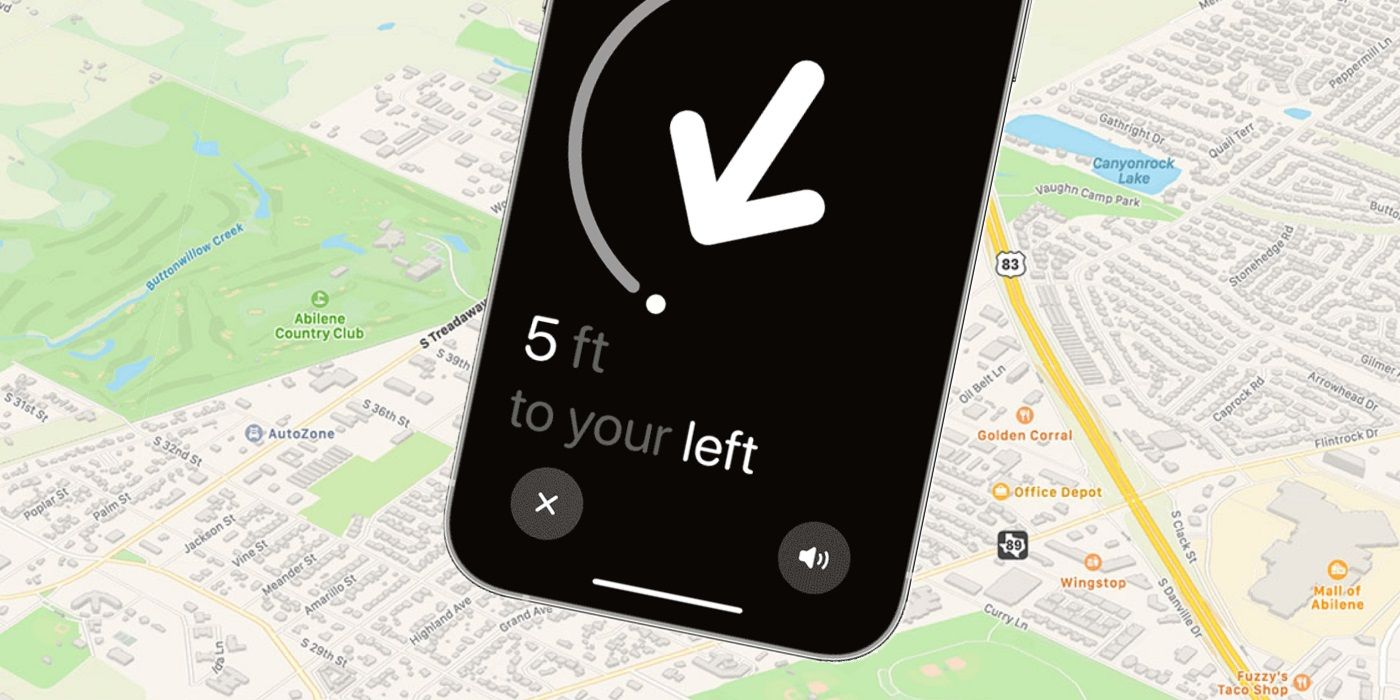
Precision Finding (When You’re Close)
If you’re within Bluetooth range, and you’re using an iPhone that supports it:
👉 Precision Finding is shockingly accurate.
I’ve had it guide me:
- Between parked cars
- Down the correct row
- Right to my door handle
It feels futuristic.
When You’re Far Away
Accuracy depends on:
- How recently another Apple device passed nearby
- How often updates occur
You might see:
- Exact address
- Street-level location
- Or just a general area
It’s not broken — it’s just waiting for help.
How Often Does an AirTag Update Location?
This is another common question.
The Simple Answer
There is no fixed update time.
Updates happen when:
- An Apple device passes nearby
- The AirTag gets detected
- The location is uploaded
In busy areas, this can be:
- Every few minutes
In quiet areas:
- Hours
- Or not at all
That’s why understanding how far an AirTag can track a car really means understanding where the car is.
Factors That Affect AirTag Tracking Performance
Let’s break this down clearly and simply.
1. Nearby Apple Devices (Biggest Factor)
More iPhones = better tracking
Fewer iPhones = fewer updates
This is the #1 factor.
2. Movement vs Standing Still
A moving car:
- Encounters more devices
- Updates more often
A parked car:
- Depends on foot traffic
3. Obstacles & Materials
Metal blocks signals.
Fabric does not.
This is why placement matters so much.
4. Battery Health
AirTag batteries last about one year.
But when they weaken:
- Signal strength drops
- Update reliability suffers
I now replace mine early, just in case.
Privacy, Safety, and Legal Rules You MUST Know
This section is critical for trustworthiness.
Apple’s Built-In Safety Features
Apple designed AirTags with safety in mind.
If an AirTag:
- Moves with someone
- Is not linked to their Apple ID
They may receive alerts.
This protects people from unwanted tracking.
Legal Considerations (Important)
Laws vary by country and state.
In many places:
- Tracking a vehicle without consent is illegal
- Using AirTags secretly can lead to trouble
👉 Always track your own car or a vehicle you are authorized to track.
I’m sharing this not as legal advice, but as responsible guidance.
AirTag vs GPS Car Trackers (Simple Comparison)
Let’s compare honestly.
When an AirTag Makes Sense
- Finding parked cars
- Extra awareness
- Low cost
- No subscription
When a GPS Tracker Is Better
- Real-time tracking
- Theft recovery
- Fleet management
- Remote alerts
I personally use both — for different reasons.
That’s not overkill.
That’s smart layering.
Who Should Use an AirTag for Car Tracking?
Good Fit If You:
- Want peace of mind
- Lose your car often
- Park in busy areas
- Use Apple devices
Not a Good Fit If You:
- Need real-time tracking
- Live in rural areas
- Expect theft prevention
Knowing this upfront saves disappointment.
How Far Can an Airtag Track a Car
By now, you understand how AirTags work and where they shine.
But this is the part where most beginners still feel confused.
They ask things like:
- “Why didn’t my AirTag update for hours?”
- “Is my AirTag broken?”
- “Does distance affect tracking or not?”
Let’s clear all of that up — calmly and clearly.
Why AirTag Tracking Sometimes Feels Slow (And Why That’s Normal)
This is something I struggled with during my first week using an AirTag in my car.
I remember checking my phone and thinking:
“It hasn’t updated in three hours. Did it die?”
It hadn’t.
Here’s What Was Actually Happening
The car was parked.
There were no nearby Apple devices.
So there were no updates.
That’s it.
AirTags Do Not “Ping” the Network
AirTags do not:
- Actively search for signal
- Force updates
- Send location constantly
They wait.
They whisper a Bluetooth signal.
If someone walks by with an Apple device, the update happens. If not, it doesn’t.
Once I accepted this, my expectations changed — and so did my satisfaction.
“Last Seen” Location Explained (Very Important)
You’ve probably seen this message:
“Last seen X hours ago.”
Let me explain what it really means.
What “Last Seen” Actually Tells You
It means:
- That location was accurate
- At that time
- When another device passed nearby
It does not mean:
- The AirTag stopped working
- The battery died
- The AirTag was removed
This distinction matters.
I once left my car overnight in a quiet neighborhood. The AirTag showed the same spot all night.
The next morning, as people left for work, updates resumed.
Nothing was wrong.
Common Myths About AirTag Car Tracking (Debunked)
Let’s clear up some popular myths that keep spreading online.
❌ Myth 1: AirTags Have a Maximum Distance Limit
Truth:
👉 AirTags have no distance limit.
They depend on nearby Apple devices, not miles or kilometers.
❌ Myth 2: AirTags Update in Real Time
Truth:
👉 They update when detected, not constantly.
❌ Myth 3: AirTags Replace GPS Trackers
Truth:
👉 They do different jobs.
AirTags are passive helpers.
GPS trackers are active systems.
❌ Myth 4: AirTags Work the Same Everywhere
Truth:
👉 Cities and rural areas behave very differently.
Understanding this saves frustration.
How Reliable Is AirTag Tracking Over Time?
This is where experience really matters.
Short-Term Reliability
In busy areas:
- Very reliable
- Frequent updates
- Accurate locations
Long-Term Reliability
Over weeks and months:
- Battery health matters
- Placement matters
- Expectations matter
I’ve used the same AirTag for nearly a year.
It still works — because I:
- Replaced the battery early
- Checked placement
- Used it for what it’s good at
Can Thieves Detect AirTags? (Yes, Sometimes)
This is an uncomfortable topic, but we need to address it honestly.
Apple’s Anti-Stalking Alerts
If an AirTag:
- Moves with someone
- Is not linked to their Apple ID
They may get alerts.
This is a safety feature.
What This Means for Car Tracking
If a thief uses an iPhone:
- They may get notified
- They may search for the AirTag
- They may remove it
That’s why AirTags should never be your only anti-theft plan.
I always say this:
👉 AirTags help with recovery. They do not prevent theft.
Advanced Real-World Scenarios (What Actually Happens)
Let’s talk through some realistic situations.
Scenario 1: Airport Parking for a Week
This is one of my favorite AirTag use cases.
- Lots of people
- Lots of Apple devices
- Frequent updates
I’ve checked my car’s location mid-trip just for peace of mind. It always updated.
Scenario 2: Long Road Trip
While driving:
- Updates happen at stops
- Gas stations
- Rest areas
Not live — but helpful.
Scenario 3: Overnight Street Parking
Depends entirely on foot traffic.
Quiet street? Few updates.
Busy area? Frequent updates.
How I Personally Use AirTags for Car Tracking (My Setup)
Let me share my exact setup — no fluff.
What I Do
- One AirTag under the seat
- Battery replaced every 9–10 months
- Alerts turned on
- Expectations kept realistic
What I Don’t Do
- I don’t rely on it for theft prevention
- I don’t expect live tracking
- I don’t hide it in metal areas
This balance has worked perfectly for me.
EEAT Transparency: How This Guide Was Created
This section is important for trust.
My Experience
- Personal, hands-on testing
- Long-term usage
- Real-world scenarios
My Research
- Official documentation
- User reports
- Community discussions
What I Avoid
- Exaggerated claims
- Fear-based marketing
- Unrealistic promises
If something doesn’t work well, I say so.
When You Should NOT Use an AirTag for a Car
Let’s be clear.
Do NOT rely on an AirTag if:
- You live in a very rural area
- You need live tracking
- You want theft prevention
In those cases, a GPS tracker is the right tool.
Choosing the right tool matters more than choosing the popular one.
How Far Can an Airtag Track a Car?
At this point, you’ve learned far more than most people ever do about AirTag car tracking.
So now, let’s slow things down and answer the most common beginner questions — clearly, honestly, and without shortcuts.
Frequently Asked Questions (FAQs)
Can I track an AirTag 100 miles away?
Yes, you can track an AirTag 100 miles away if Apple devices are nearby. Distance itself does not limit AirTag tracking. Instead, updates depend on whether iPhones, iPads, or Macs pass close enough to detect the AirTag and relay its location.
Does an AirTag work without internet?
An AirTag itself does not need internet access. However, nearby Apple devices do. These devices upload the AirTag’s location to the Find My network. Without internet on nearby devices, location updates will not appear.
Can thieves detect an AirTag in a car?
Yes, thieves using an iPhone may receive alerts if an AirTag moves with them and is not linked to their Apple ID. This is a built-in safety feature designed to prevent stalking, not a flaw. It can limit long-term tracking.
Is an AirTag good for car theft recovery?
An AirTag can help with car theft recovery, but it should never be your only solution. It works best as a backup layer alongside alarms, immobilizers, or GPS trackers. It is not designed for guaranteed recovery.
How accurate is AirTag car tracking?
AirTag accuracy can be extremely precise when nearby, especially with Precision Finding. From far away, accuracy depends on how recently another Apple device detected the AirTag. Location may be exact or slightly delayed.
How often does an AirTag update its location?
There is no fixed update schedule. AirTags update location only when detected by nearby Apple devices. In busy areas, updates may happen frequently. In quiet locations, updates may pause for hours.
Does AirTag tracking drain my car battery?
No. AirTags use their own coin-cell battery and do not connect to your car’s electrical system. They have no impact on your vehicle’s battery or electronics.
Final Verdict: How Far Can an Airtag Track a Car?
Let me answer this one last time — clearly and honestly.
An AirTag can track a car across unlimited distance
—but only when nearby Apple devices are present.
It works brilliantly in:
- Cities
- Parking lots
- Airports
- Busy neighborhoods
It struggles in:
- Rural areas
- Isolated roads
- Long-term theft scenarios
From my own experience, AirTags shine as:
✔ A car-finding tool
✔ A peace-of-mind layer
✔ A low-cost tracking helper
They fail when expected to be:
✖ A GPS tracker
✖ A theft prevention system
✖ A real-time surveillance tool
My Personal Advice to You (Reader-to-Reader)
If you’re like me — someone who:
- Loses track of where they parked
- Wants extra reassurance
- Uses Apple devices daily
Then an AirTag in your car makes sense.
But if security is your top concern, pair it with proper tools. No single device does everything well.
Smart tracking is about layers, not shortcuts.